Connectors
A connector stores the credentials and configuration needed to talk to an external provider—such as Google, AWS, OpenAI, Anthropic, OpenRouter, Brave Search or Azure. Once a connector is set up, it can be reused across the platform: by AI models (to reach a provider's API), by sources (to read your data) and by tools. Use this section to add connectors and review where each one is used.
Available on any plan
Anyone with can edit access can add and manage connectors
Browse connectors
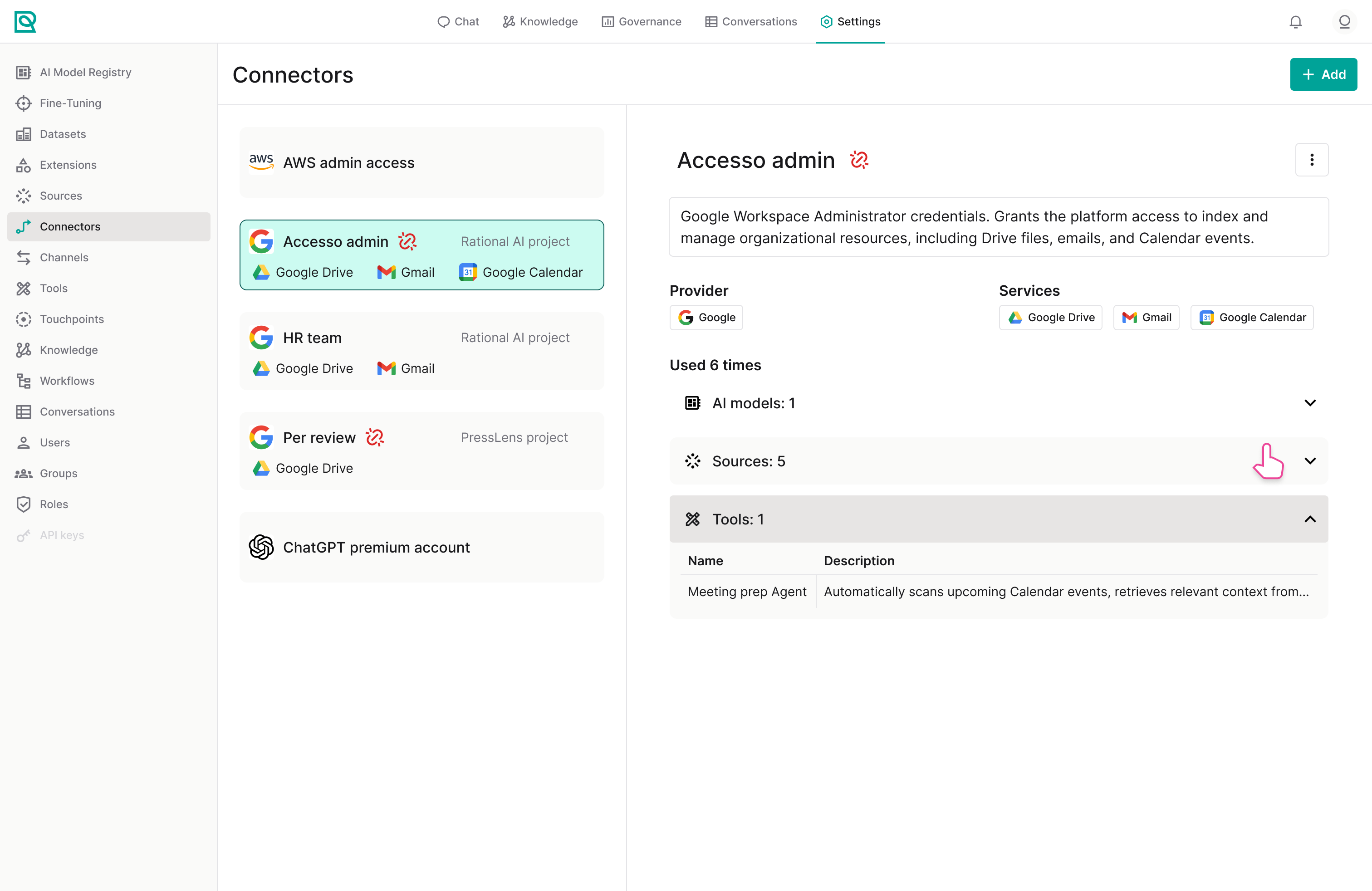
The Connectors page lists every connector as a card on the left, each showing its name and provider icon. Use the search box to filter by name, and click a card to open its details on the right.
The details panel shows the connector's description, its Provider, and how many times it is used. A usage breakdown reports how many AI Models, Sources and Tools rely on the connector, so you can see what would be affected before changing or removing it.
These are the same numbers the platform itself checks when you try to delete a connector, so a refusal can't cite a dependency the page didn't show you. A connector reported as used by nothing is one you can safely remove.
Add a connector
Click Add in the top-right corner to open the connector catalogue. Browse the available providers (Google, AWS, OpenAI, Anthropic, OpenRouter, Brave Search, Google Service Account Key, Azure and more), select one and click Add to configure it. Provide the required credentials—such as an API key or service account details—to complete setup.
Connectors hold sensitive credentials. Removing or editing a connector affects every AI model, source and tool that depends on it. Check the usage breakdown in the details panel before making changes.
Manage a connector
Open the options menu (the three vertical dots) in the details panel to:
| Action | Description |
|---|---|
| Edit configuration | Update the connector's stored credentials and settings. |
| Delete | Remove the connector from the platform. |